Improve User Experience
Create a seamless and intuitive experience that allows users to navigate memorial pages effortlessly.
A digital memorial platform for creating personalized memorial pages.
Remember allows users to create and share digital memorials for loved ones, bringing together memories, stories, and tributes in one place. Our team was tasked with redesigning the platform to improve its usability and visual experience, as the original website did not fully reflect the personal and meaningful nature of remembrance.
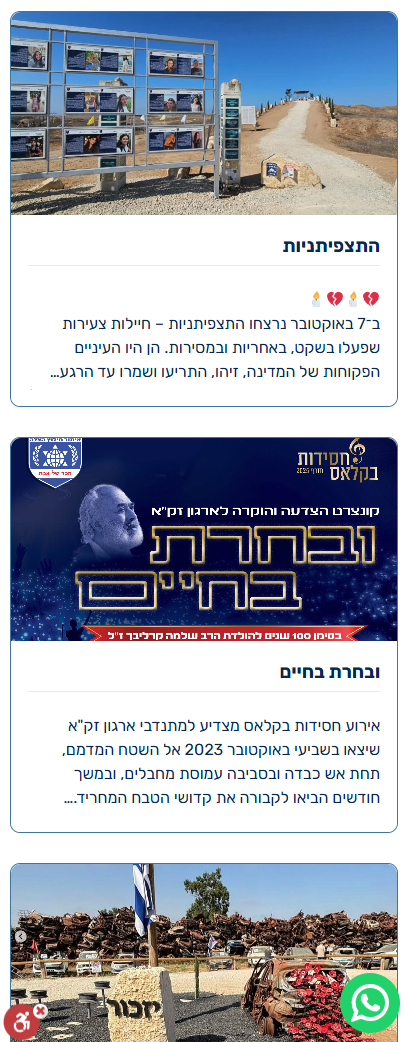
The site did not effectively convey the emotional weight of the platform's purpose, making it difficult for users to connect on a deeper level. Additionally, the existing Remember website faced several key issues. Users struggled to find key features and create memorial pages efficiently due to unclear navigation. The design was not aesthetically appealing and lacked a cohesive visual system, leading to visual clutter.
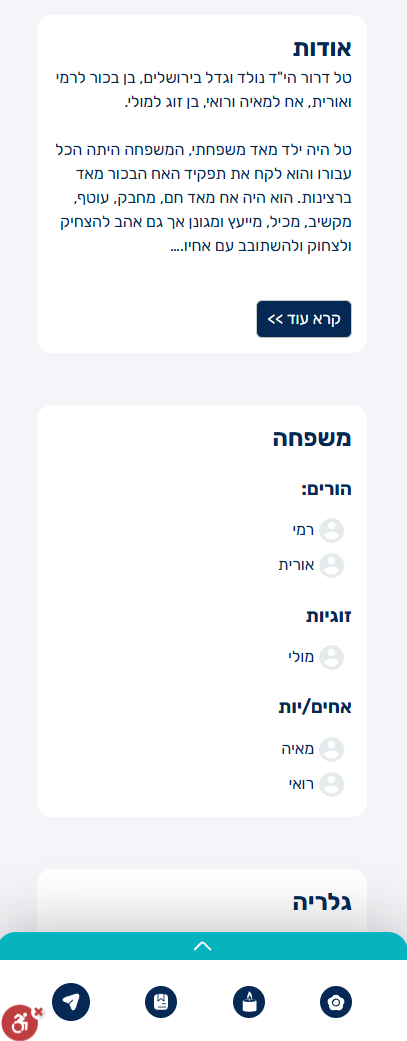
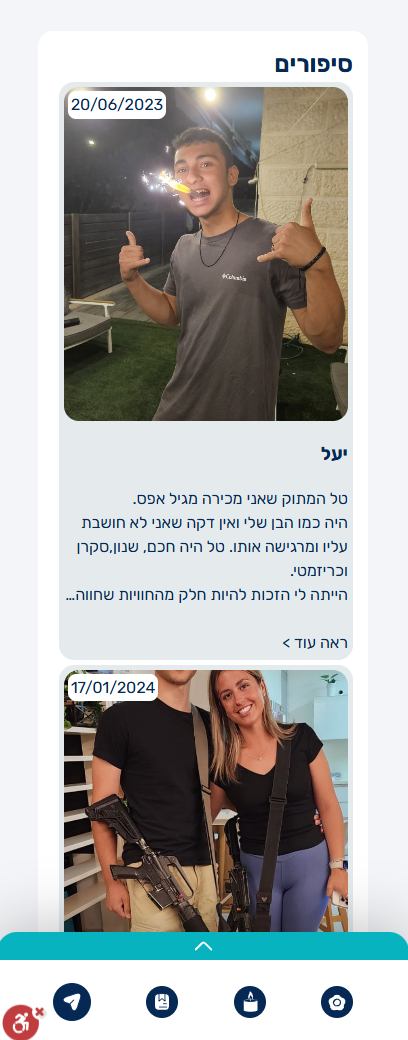
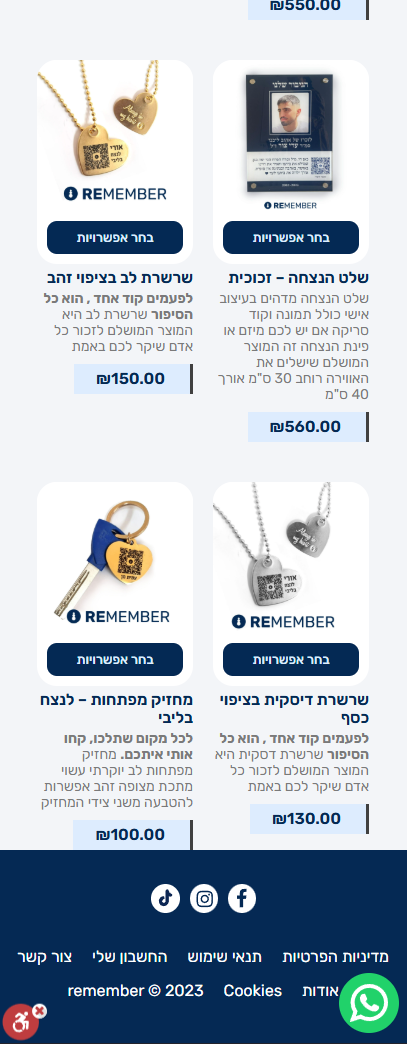
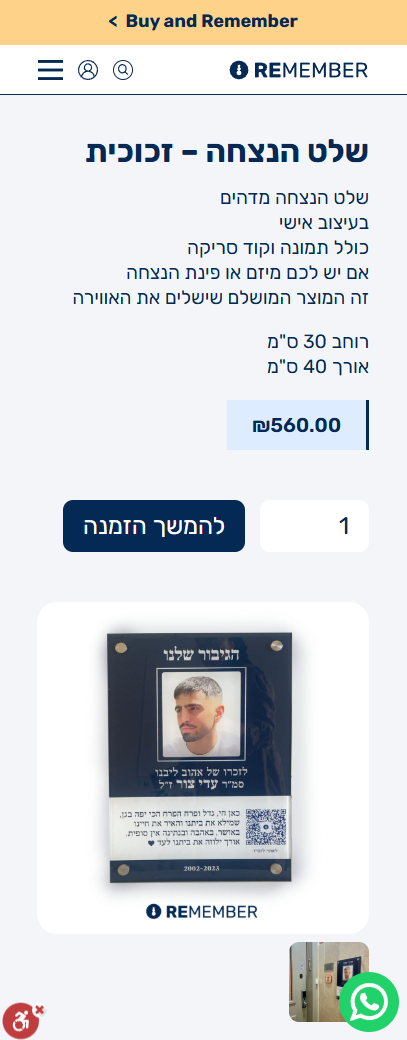
Create a seamless and intuitive experience that allows users to navigate memorial pages effortlessly.
Encourage users to contribute stories, photos and messages through a more interactive experience.
Simplify content creation, editing and moderation while maintaining a respectful memorial environment.
To better understand the memorial experience, I researched the leading memorial platforms on the market. To broaden the research, I also explored storytelling platforms, social media, and website builders. Although these are not direct competitors, they provided valuable insights into meaningful content, personalized experiences, intuitive page creation, and community engagement.






We interviewed users to better understand their experiences, challenges, and expectations throughout the memorial creation process.
I wanted the memorial to feel like telling my loved one's story, not filling out another form.
I wanted the process to be clear and intuitive, so I could focus on the memories.
It was important that everyone in the family could contribute memories together in one place.
The interview insights were supported by the survey findings, revealing three key themes that guided the redesign.
By reviewing each area of the platform, I identified recurring usability issues and opportunities for improvement that became the foundation of the redesign.
A top menu improves user access to sections.
Clear buttons encourage memorial page creation.
Larger images and dates enhance emotional connection.
Templates, family trees, and music make pages unique.
WYSIWYG interface lets users see updates instantly.
Assist in crafting meaningful tributes.
Streamlined tools for easy content management.
One-click content approval simplifies workflows.
Improved messaging features between users.
Real-time product previews increase user confidence.
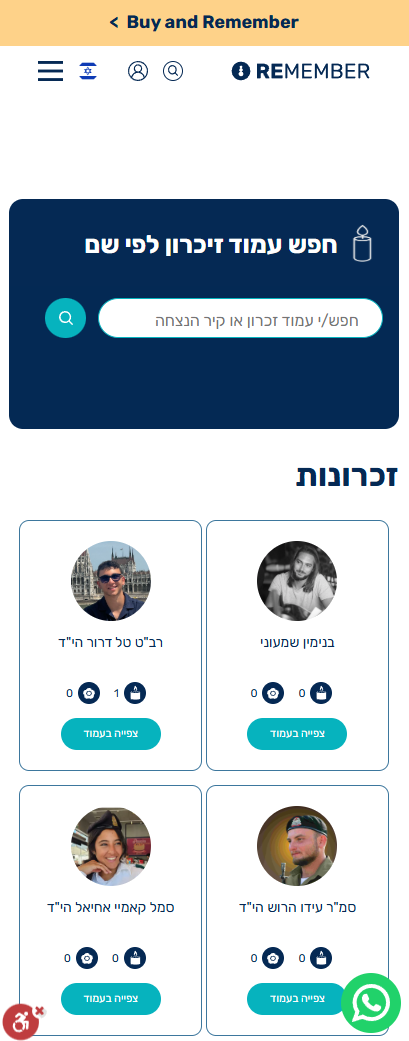
Clean, inviting design encourages exploration.
Simplified menu makes store access easier.
Easy-to-find sections and direct access to information.
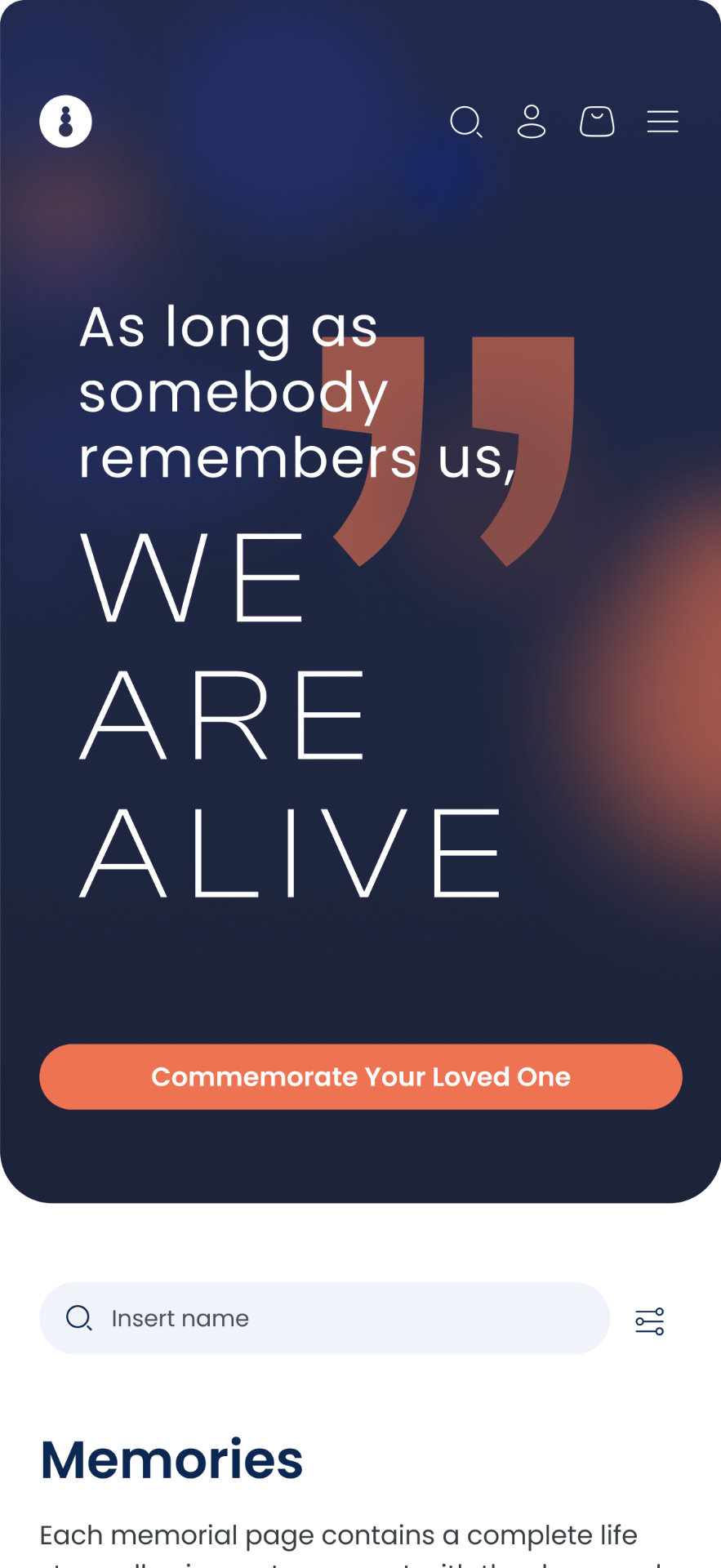
Concise messaging helps users understand the platform purpose.
Leadership stories and personal experiences foster credibility.
Ariel lost his son during the war that followed the October 7 attacks. His son served as a soldier and was killed in action. Since then, Ariel has been searching for a meaningful way to preserve his son's memory for future generations.
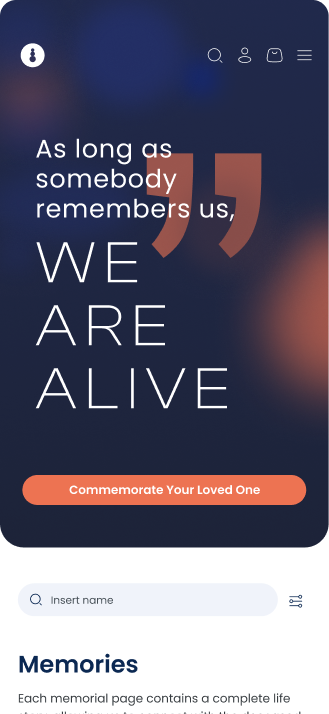
Quick access to key pages with a clean, organized menu.
A heartfelt quote creates an emotional connection, emphasizing the importance of remembering loved ones.
A prominent button invites users to commemorate their loved ones.
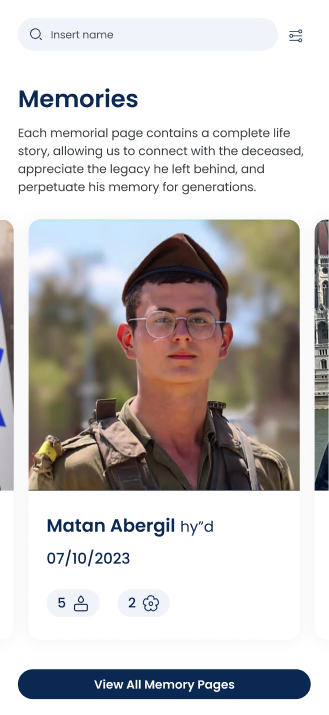
Sort memory pages by name, date of passing, or publication date for easier navigation.
Larger images keep the focus on one memory at a time with smooth auto-scroll.
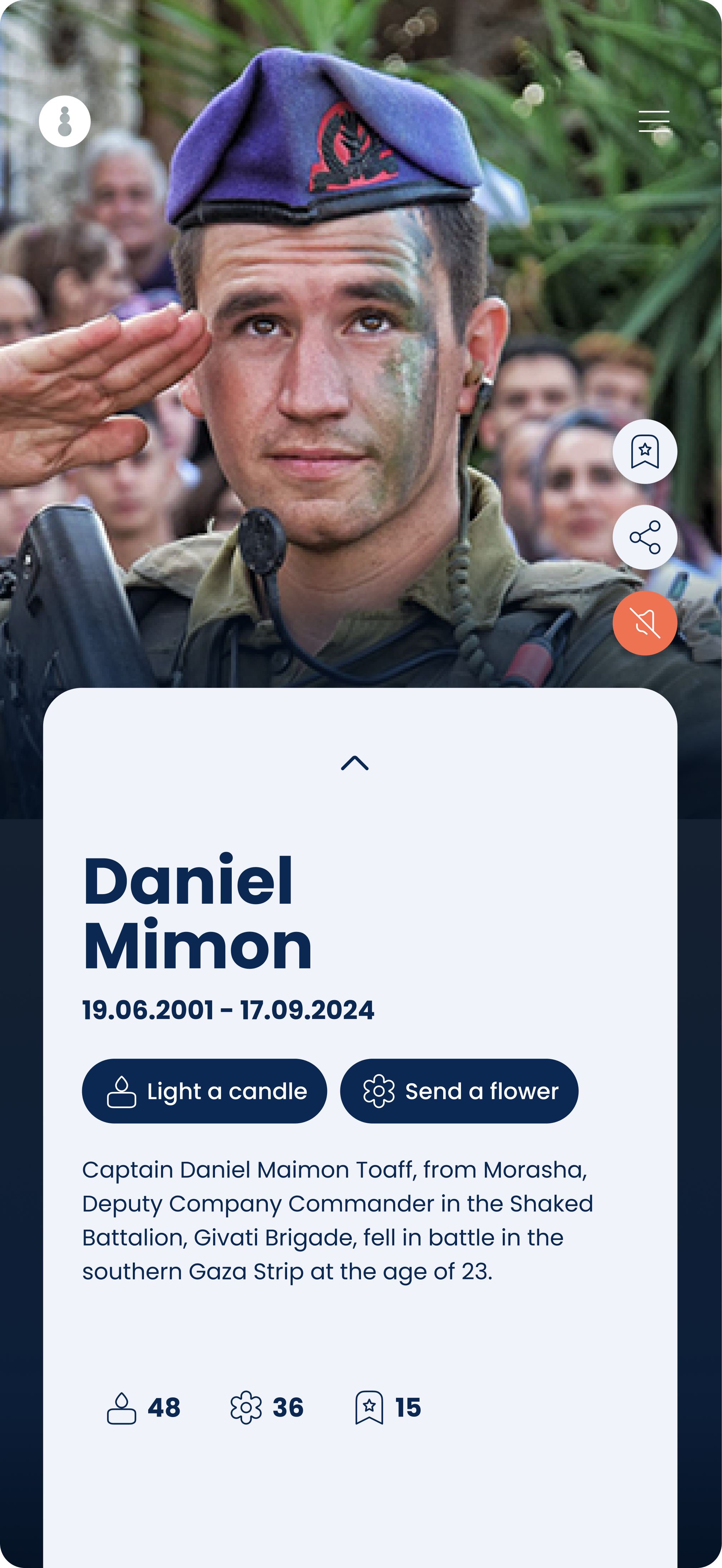
Lighting a candle or adding a flower holds great significance, which is why it is clearly emphasized here.
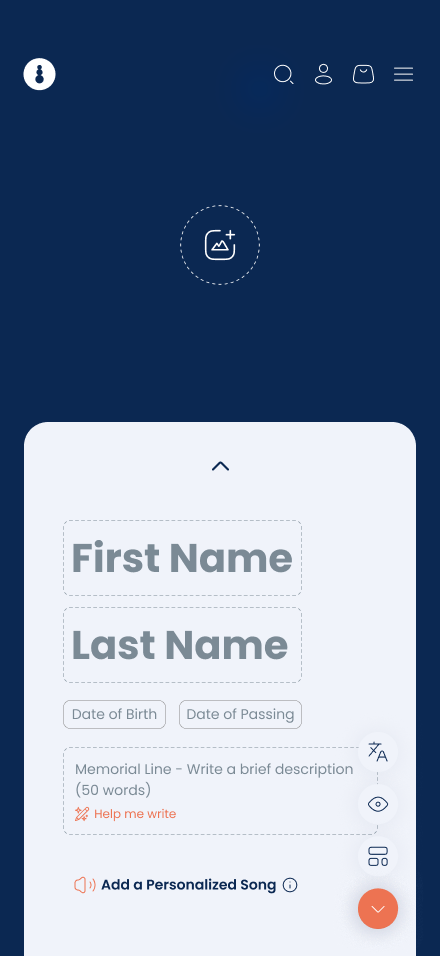
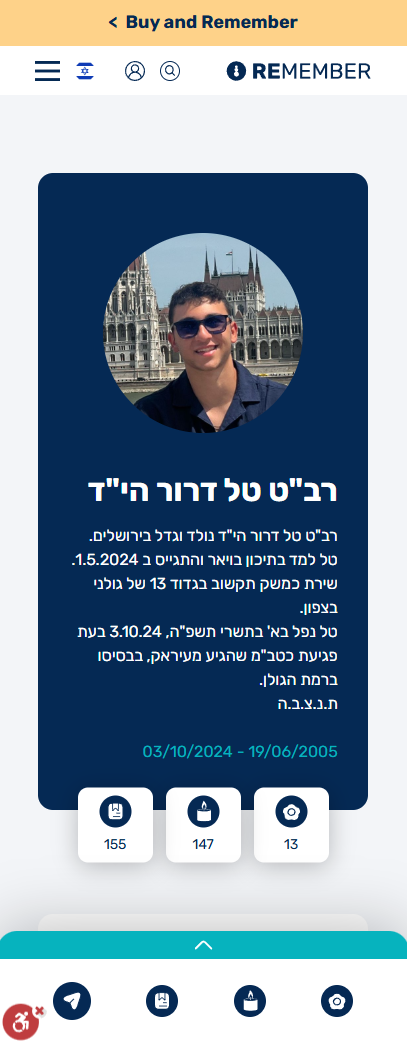
A prominent image area to foster connection and evoke emotion.
Personal music options to enhance the page's ambiance.
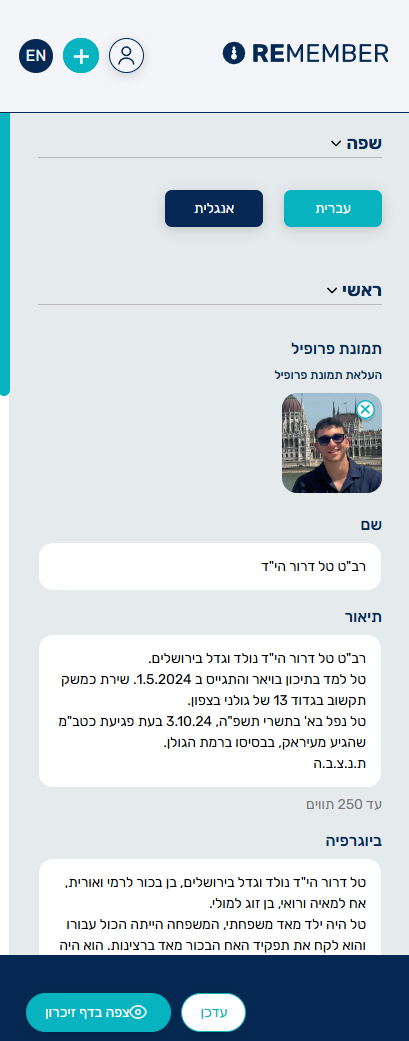
Instant visual feedback, eliminating the need for separate preview screens.
A variety of templates to reflect different life celebrations and personal styles.
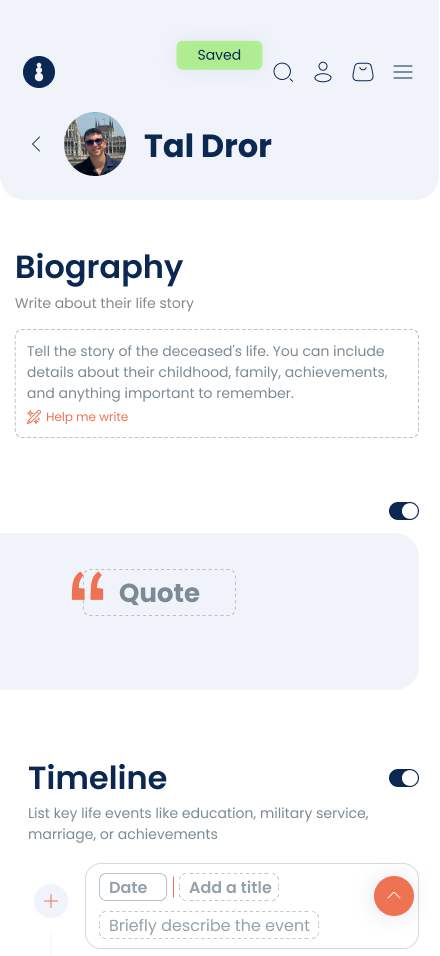
Progress is automatically saved after every action, ensuring no data is lost.
Customizable content sections with an easy switcher to organize stories and memories as needed.
AI support for generating content in challenging sections.
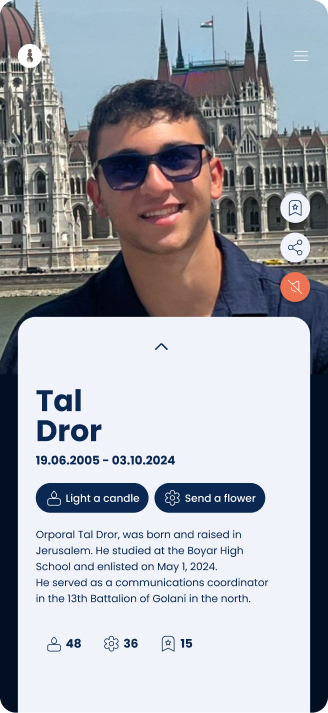
Option to play a song upon entering the Memorial page.
Clear, prominent placement for calls to action like lighting a candle and sending a flower.
Effortless page pull for continuous scrolling on the memory page.
A well-organized page with all important details easily accessible.
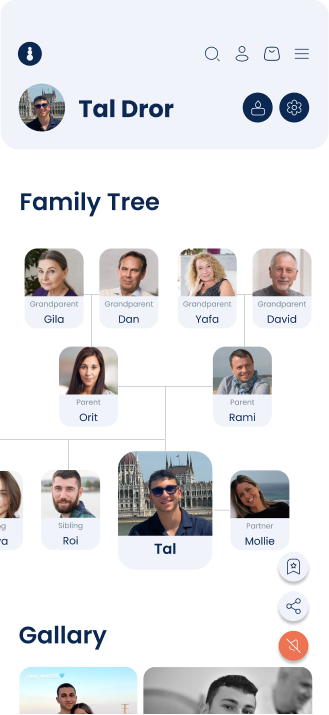
The name and image of the deceased remain fixed at the top
Interactive family tree with image support for a personalized touch.
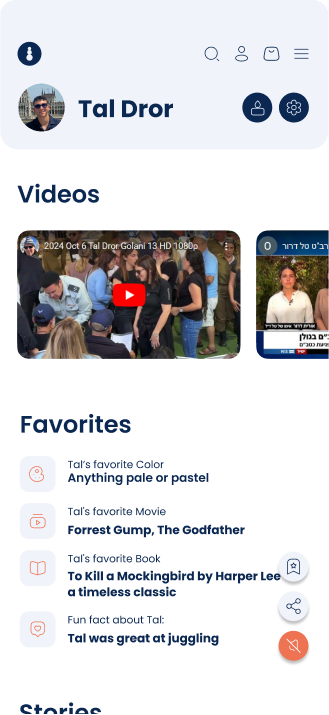
Candle and flower are given high visibility and prominence for clear calls to action.
Addition of hobbies and interests for deeper personalization.
A side menu for easy access to all the actions the user needs.
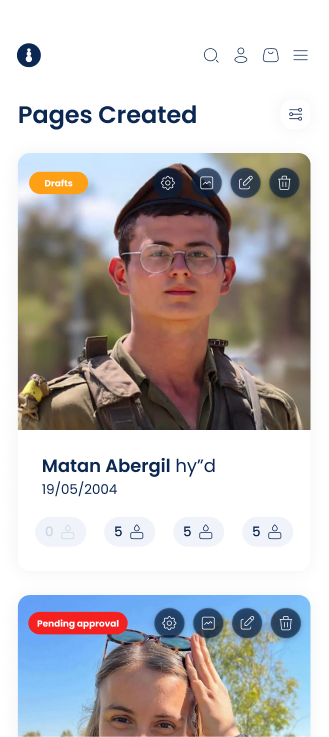
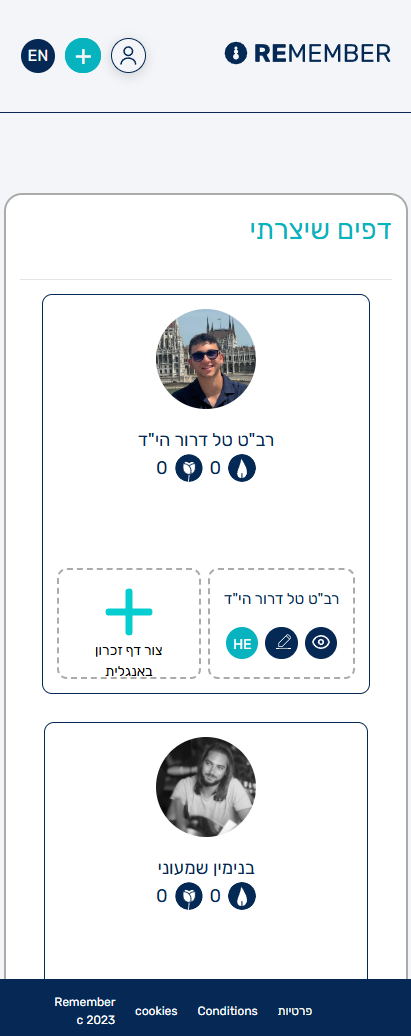
A filtering option makes finding specific pages quick and simple.
All editing options are conveniently located in one place on the page.
Easily identify the status of each page with clear, visible tags.
Key analytics are displayed upfront, with detailed insights accessible via the icon.
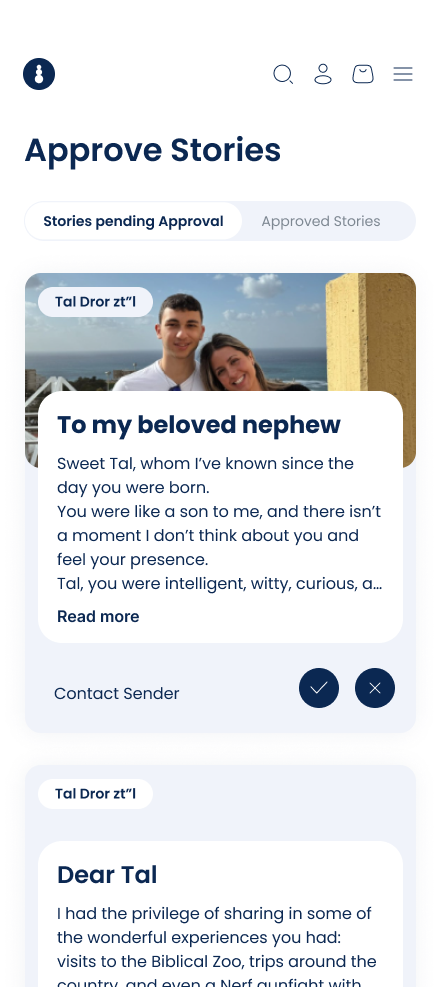
All stories pending approval are gathered in one place for quick and easy review.
Approve or reject stories instantly, with confirmation popups for added accuracy.
A contact option fosters interaction between the page creator and story submitters.
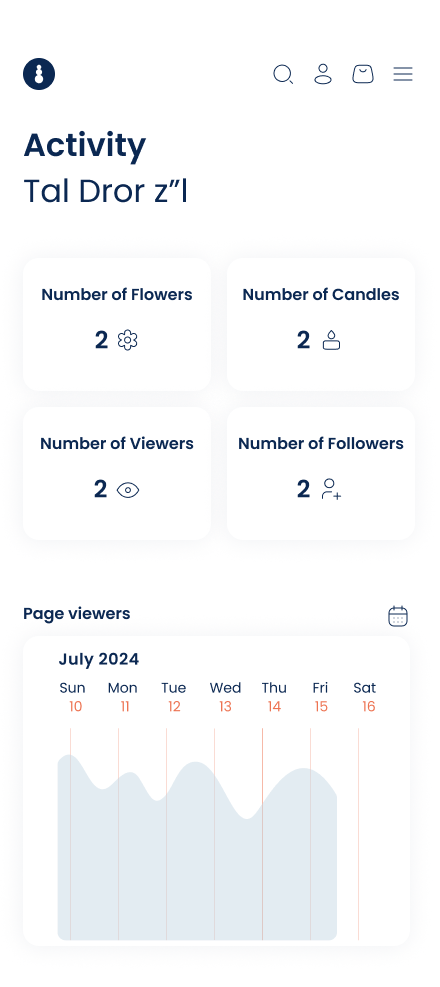
Summary of views, followers, flowers, and candles.
Detailed view graph with options to adjust by day, week, month, or year.
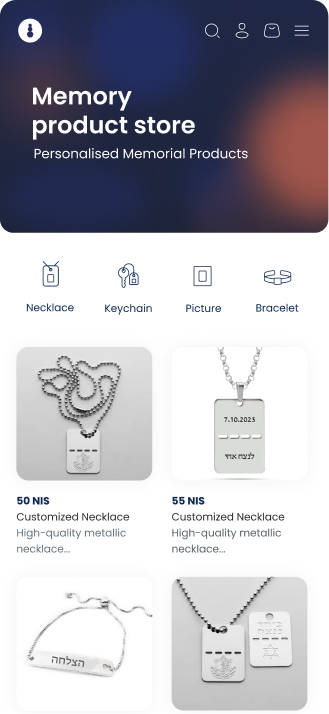
Prices are highlighted for quick comparison and purchasing decisions.
Smaller thumbnails show more items at once, reducing scrolling and improving browsing.
Easy-to-navigate icons guide users to browse by category, ensuring a seamless shopping experience.
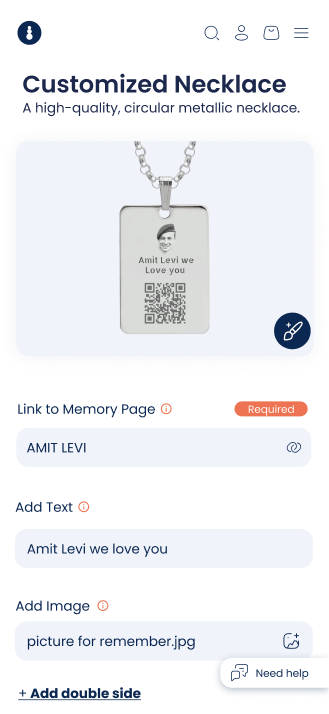
The product preview updates instantly while remaining visible throughout customization.
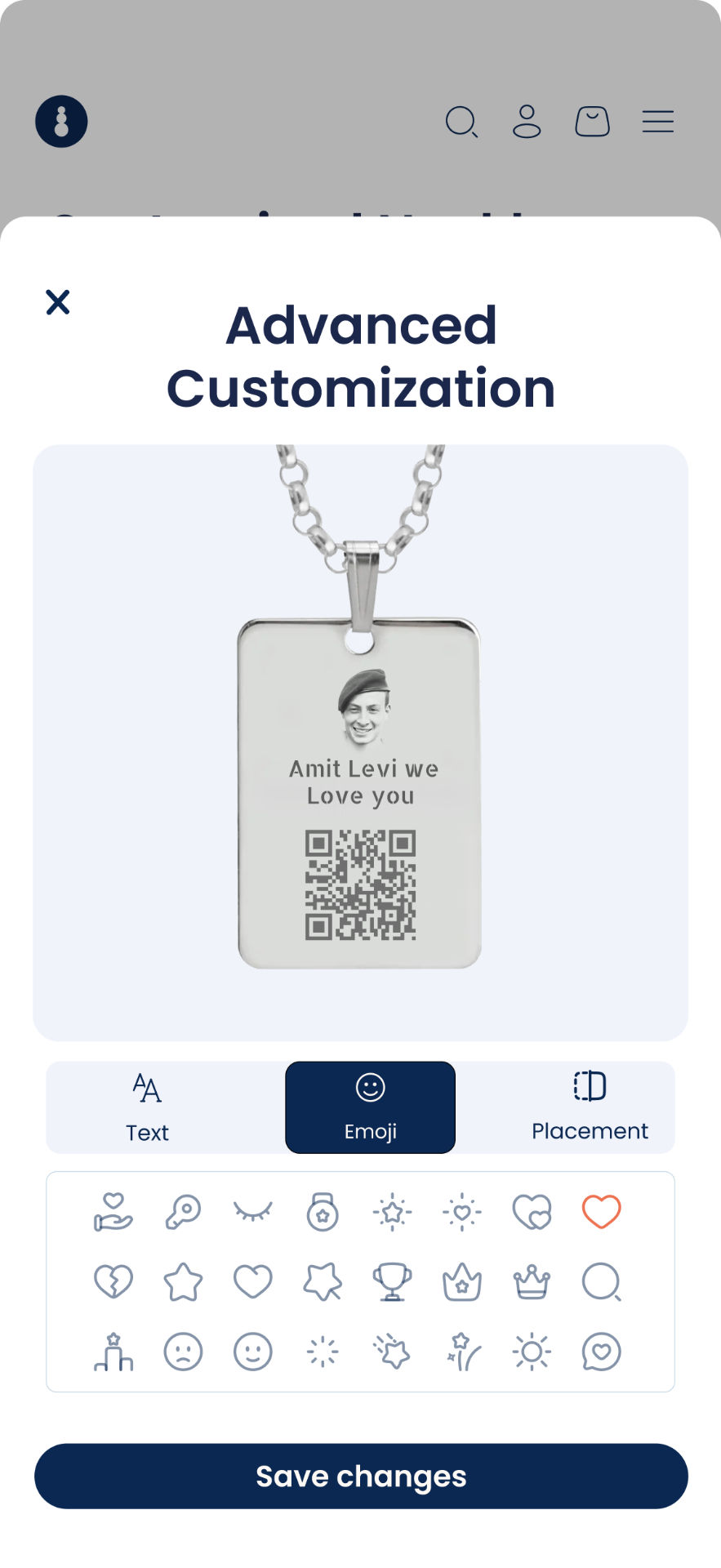
Tap the edit icon to open a dedicated workspace for advanced customization.
Users can personalize a second side only when needed.
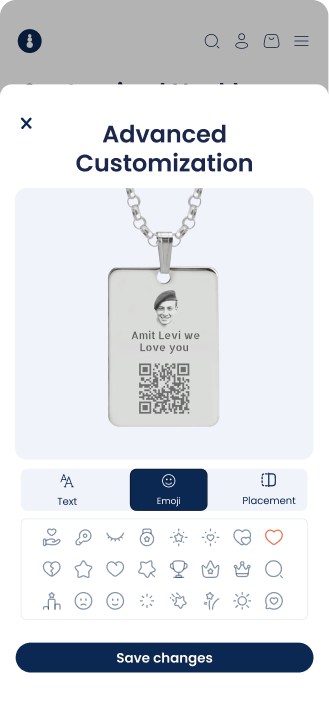
Advanced customization opens in a focused workspace without interrupting the main flow.
Users can preview personalized products instantly for a seamless experience.
Choose from ready-made icons and elements for faster customization.
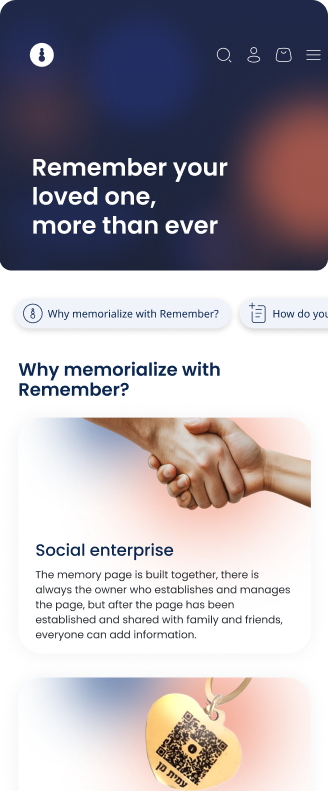
The navigation bar helps users easily access key pages with clear, step-by-step guidance.
Key benefits are presented through engaging, easy-to-scan content.
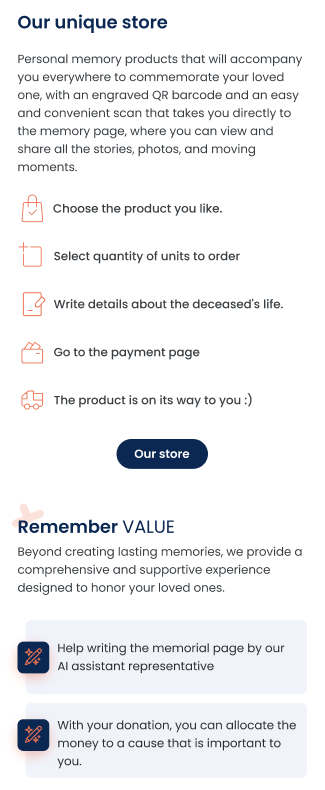
Step-by-step guidance simplifies the purchase journey while highlighting the memorial product's emotional value.
Helps users understand Remember VALUE and the additional support it provides.
I believe the final design successfully addresses the key challenges identified during the research process. By simplifying the user journey and creating a more intuitive and supportive experience, the redesign makes it easier for users to preserve and share meaningful memories while maintaining a clear and consistent visual language.
Working on Remember changed the way I think about product design. It reinforced that successful digital products are not defined only by usability, but by how well they respond to the context in which people use them. Designing for such an emotional experience required every interaction, flow, and interface decision to communicate clarity, sensitivity, and reassurance. This project strengthened my ability to combine user-centered thinking with empathetic design, creating experiences that support users when they need it most.
Open to UX/UI opportunities, freelance projects, and meaningful collaborations. If you have an idea worth crafting, I'd love to hear about it.